iStock | Boy Wirat
In 2025, the average pest control lead cost on Google approached $100. Here is a real-world look at the campaign errors draining your marketing budget, and the exact optimizations needed to drive those costs down.
In 2025, our agency aggregated data from massive ad spends across the pest control industry to find
out exactly what works on Google. This article goes through the most impactful optimizations we’ve found.
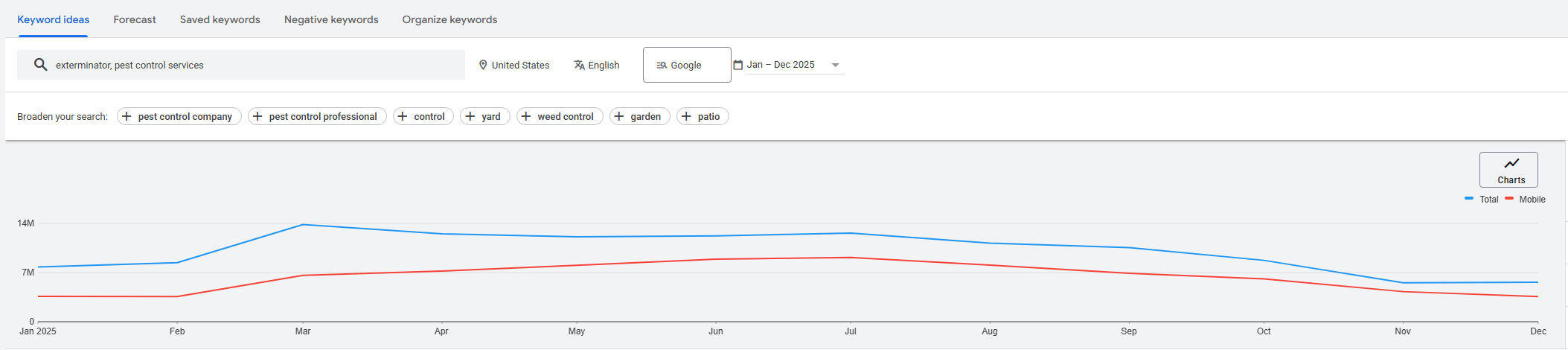
AVERAGE GOOGLE ADS RESULTS. Pest control lead costs are all over the board, depending on the month and location. We saw mosquito control leads as low as $30 in March and July, as well as rodent control leads as low as $45 in April.
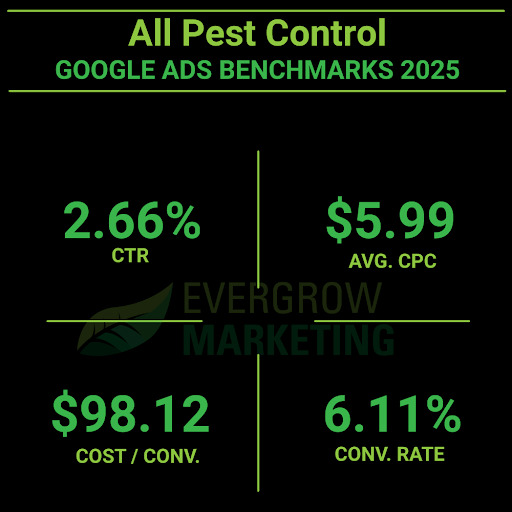
However, the average pest control lead on Google in 2025 was about $98.12.
Earlier in the year, we were seeing leads for almost $200. After the following optimizations, the lead cost plummeted to sub-$100.
DIY SEACHERS DRAIN YOUR BUDGET. “Pest control” is arguably too broad to target. We’ll get into match-types in a little bit, but targeting “pest control” will trigger your ad for queries like:
- Deer repellent
- Mosquito spray
- Rat poison
If you’re not paying attention to your Search Terms report, your budget will drain from queries DIYers are accidentally clicking on.
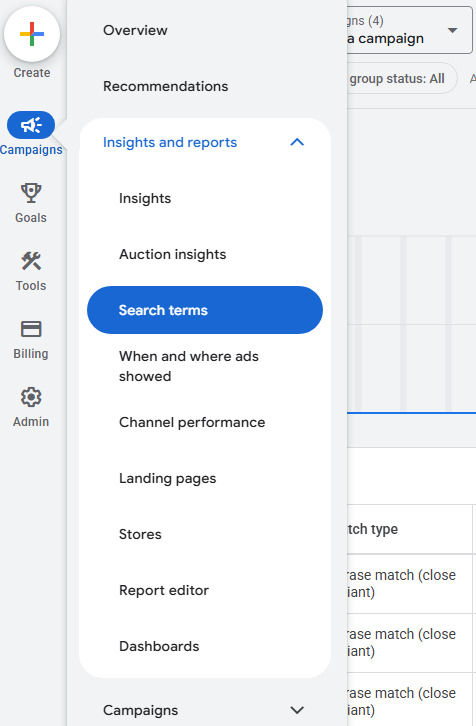
To find these terms that your ads are triggering, you’ll hover over “Campaigns” and click on “Search terms” under the “Insights and reports” section.
That’s when you start seeing DIY queries you may want to exclude as negative keywords:
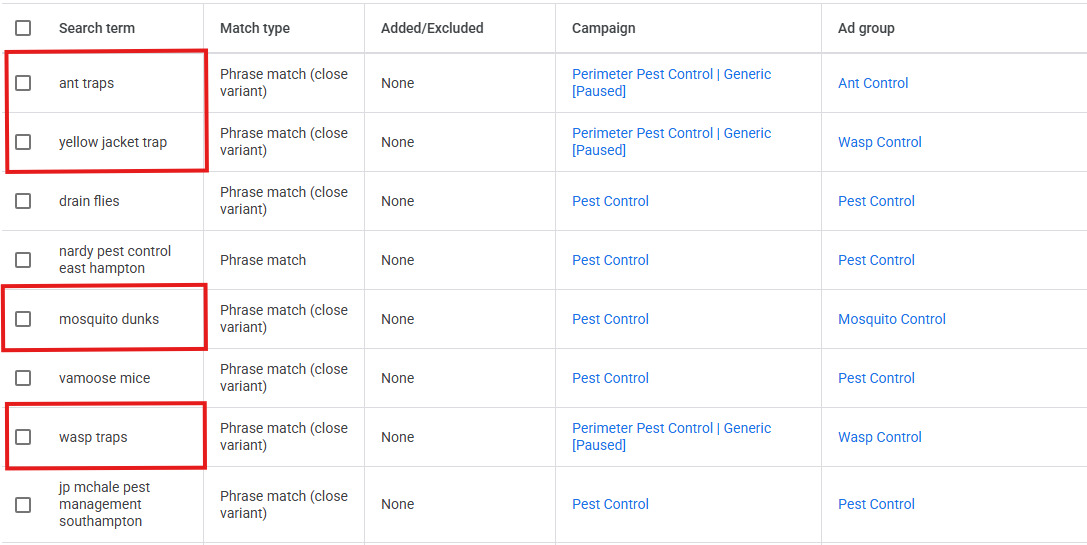
To negate all of these, I would only use the following negative keywords:
- [trap]
- [dunk]
Understanding Match-Types
When targeting keywords in Google Ads, there are three different “match-types”.
- broad match
- “phrase match”
- [exact match]
Brackets ([ ]) around the keyword mean that Google will only show your ads for those keywords in that order. [rodent exterminator] will only trigger your ad if someone types in “rodent exterminator”. Not “rodent control” or “exterminator near me”.
Quotes (“ “) around the keyword give Google more flexibility with what they show your ad for. “Mosquito control near me” could show up for “mosquito spraying services”.
Broad match is when there is nothing around the keywords. These will match keywords targeting “mosquito services” with queries like “citronella candles”.
Google wants you to use broad match. Don’t use broad match unless you want to light your money on fire.
USING NEGATIVE KEYWORDS. Phrase match will still show your ad for DIY queries. “Mosquito spraying” will show your ad when someone searches for “mosquito spray”. They are very similar terms but have completely different intents.
That’s when we need to understand negative keywords.
These are keywords you add to your Google Ads campaigns that tell Google not to show up when certain words are searched.
If we want to target “mosquito spraying” but not “mosquito spray”, we’d want to include a negative keyword of [spray].
This will ensure we’d show up for the full “spraying” term but not the product-related term.
These were six words eating up over 25% of our clients’ budgets:
- Spray
- Repellant
- Trap
- Killer
- Bait
- Poison
SEGMENT PESTS BY ADS. Most people with a specific problem (like rats) still search for broad terms like “pest control services.” Therefore, it makes sense to target broader keywords in your headlines and descriptions, and then use “call out” assets to list the specific pests you handle.
An example might be by targeting the word “exterminator near me” and then writing your ad to look like this:
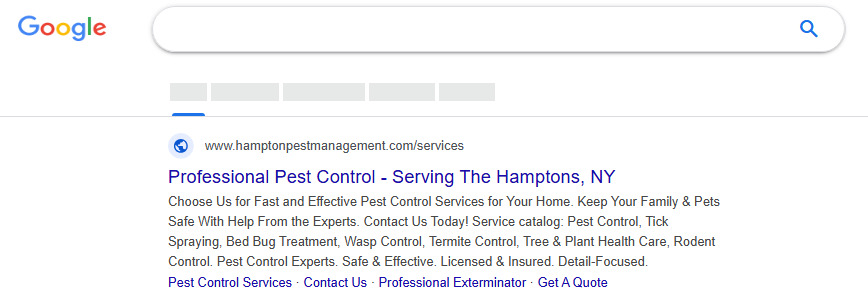
This ad shows two headlines:
- “Professional Pest Control”
- “Serving The Hamptons, NY”
It shows two descriptions:
- “Choose Us for Fast and Effective Pest Control Services for Your Home”
- “Keep Your Family & Pets Safe With Help From the Experts. Contact Us Today!”
These descriptions are then followed by a “service catalog” asset that calls out the different pest control services that are offered.
When you target “exterminator services” and people actually search for it, surely they have a specific pest in mind, but that isn’t what they’re searching for. We can’t read their mind. The best thing to do is to match the general keyword they’re searching for and then call out the services and hope we cover the pest they’re looking for or something similar using assets.
Generally speaking, we don’t create campaigns for every single pest. We only do that for pests that have a significant search volume.
The following pests have enough volume to justify individualized ads:
- Ants
- Bats
- Bed Bugs
- Beetles
- Cockroaches
- Fleas
- Mice & Rats
- Mosquitoes
- Spiders
- Any pests that sting (wasps, hornets, bees, etc)
- Termites
- Ticks
The “stinging bugs” surprised us, but there is significant volume for it.
These are the ones you want to have ad groups for with ads using specific language to that pest.
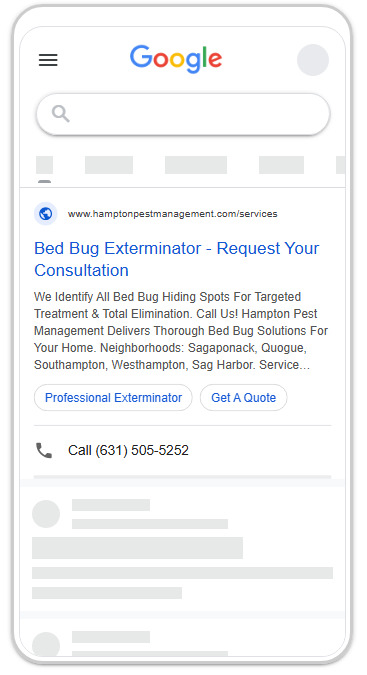
These are pests we have not found significant volume for, but have shown up in the Search Terms report:
- Voles
- Crickets
- Earwigs
- Slugs
- Chipmunks
THE CALL TO ACTION IS IMPORTANT. People don’t want “quotes” or “estimates”. They want prompt inspections and immediate help.
When we made adjustments to use calls to action like “Schedule an inspection today!” from “Schedule an estimate”, we saw a staggering 119.63% increase in conversion rates.
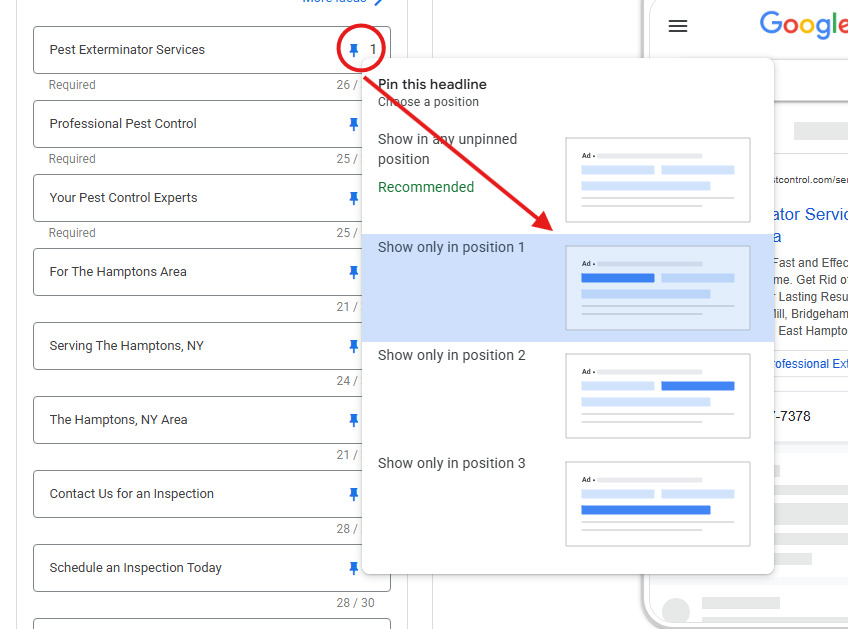
Our winning formula for creating pest control ads is to have nine headlines with specific intentions for each headline placement.
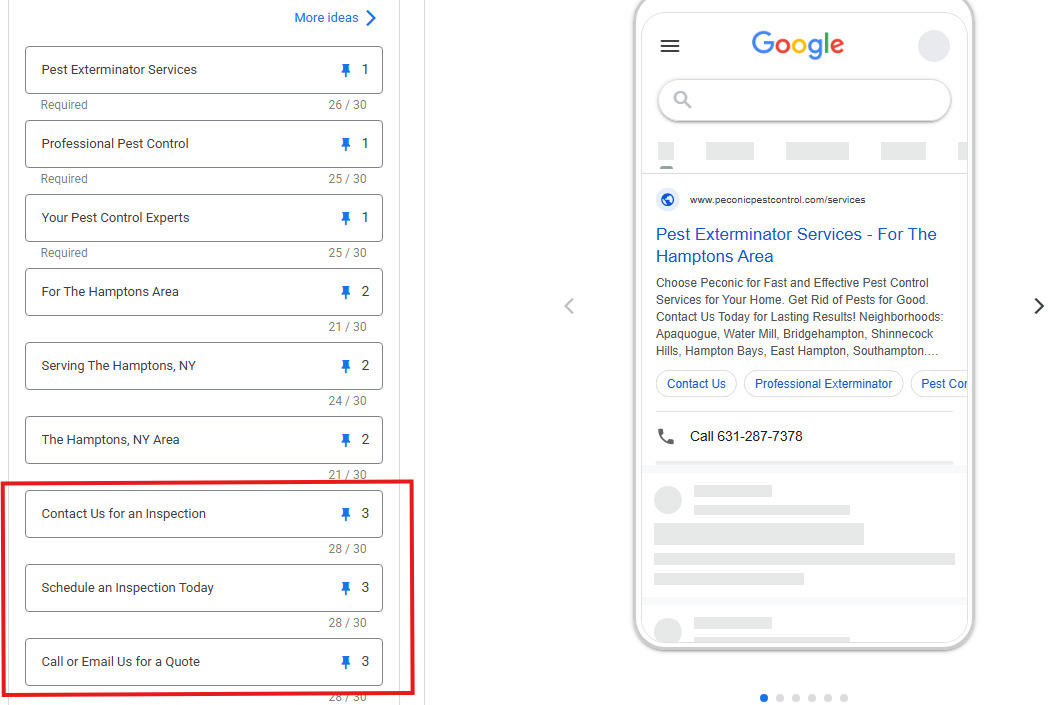
- The First three headlines are the service you’re targeting.
- The second three headlines call out the service area.
- The third three headlines are your calls to action.
When you pin these headlines to their respective positions, Google will always use one of your headlines from each position, but will optimize and serve them based on which ones perform the best.
Just make sure to click on the pin icon to pin them to their spot.
FINAL TIPS. These final tips are universal but are still worth mentioning.
Make sure to track your form fills and phone calls using the Google Tag. Attribution is the foundation of understanding the performance of your ads. If you spend $1,000 on ads, you should know how many leads they generated.
Use automated bidding with a maximum cost-per-click (CPC). When you don’t set maximum CPCs, Google will blow through your budget. A $5 click will cost you $50 if you’re not careful. We found the average CPC at $5.99, so setting a maximum CPC of $8 is safe.
Don’t apply Google’s recommendations. That’s the quickest way to light your money on fire.
Finally, Google Ads is not “set it and forget it”. Continually monitor your search terms, cost per lead, and clickthrough rates. Above all else, leads are what’s important. Not impressions or clicks.
Jake Hundley is the CEO of Evergrow Marketing, a lawn care and pest control digital marketing agency. They create digital marketing strategies utilizing SEO, Google Ads, Social Media, Website Development, and UX optimization to deliver high-quality leads with a measurable and positive ROI.
Latest from Pest Control Technology
- Zach DeVries Details his Cockroach Research, Importance of UK Short Course
- Sprague Strengthens California Leadership Through New Appointments
- PestInsight Empowering Youth in Africa and Beyond Through Education
- Guest Editorial: Making Safety the Standard on Every Service Call
- Truly Nolen Pest Control Promotes Tuck, Stewart
- Little to No Hesitance When Asking for Customer Reviews, PCOs report
- Arrow Termite & Pest Control (La.) Acquires Ark-La-Tex Exterminators
- Invicta Environmental Pest Defense Rebrands as Invicta Pest Control